
Pay With Pocket
The Pay with Pocket Checkout SDK helps businesses streamline their payment process and make it easier for customers to purchase goods and services online via Pocket. You can integrate using the SDK (described below) or via direct API integration.
How To Use
Add the following script tag to the web page where you want to use the SDK:
<script src="https://pocket-checkout-sdk.netlify.app/checkout-sdk.js"></script>Once the script is added, you have access to the Pay with Pocket Checkout anywhere on that page. Initialize the SDK by creating a new Pocket instance:
const payWithPocket = new Pocket({ key: 'MERCHANT_PUBLIC_KEY', amount: 2500000, reference: 'your-unique-reference', narration: 'Payment for order #123' // other options...});payWithPocket.show();Create an instance of the SDK with the following parameters:
export interface CheckoutOptions { key: string; // public key amount: number; // amount to charge (in kobo) wallet_id?: string; // target wallet. Your primary wallet will be credited if this is not provided reference: string; // pass your reference product_name?: string; account_expiry?: number; // disposable account expiry time in minutes, defaults is 10 if omitted meta?: any // pass your custom information(Will be sent back via webhooks) business_id?: string // pass your business id narration: string; // description here view?: "popup" | "redirect"; // payment UI type .. popup is default redirect_url?: string; //after a successfull transaction we open that url with the URL/?reference=${reference}&status=success onSuccess?: Function; // when we have confirmed payment transaction, it returns reference of the transaction onClose?: Function; // when the checkout has been closed onPending?: Function; // when the user claims they have made payment onOpen?: Function; // when the checkout pop-up or redirection has been initialized onError?: Function; // if any error happens}Options Reference
| Name | Type | Required | Description |
|---|---|---|---|
| key | string | Yes | Your merchant public key. |
| amount | number | Yes | Amount to charge in kobo. |
| wallet_id | string | No | Target wallet. Your primary wallet will be credited if this is not provided. |
| reference | string | Yes | Your unique payment reference. |
| product_name | string | No | Product or service name. |
| account_expiry | number | No | Disposable account expiry time in minutes. Defaults to 10 if omitted. |
| meta | object | No | Custom information. Will be sent back via webhooks. |
| business_id | string | No | Your business ID. |
| narration | string | Yes | Description of the payment. |
| view | string | No | "popup" (default) or "redirect". Controls the payment UI type. |
| redirect_url | string | No | After a successful transaction, redirects to this URL with ?reference={reference}&status=success appended. |
| onSuccess | function | No | Called when payment is confirmed. Returns the transaction reference. |
| onClose | function | No | Called when the checkout has been closed. |
| onPending | function | No | Called when the user claims they have made payment. |
| onOpen | function | No | Called when the checkout pop-up or redirect has been initialized. |
| onError | function | No | Called if any error occurs during checkout. |
- "popup" — Shows the checkout UI above the current page as an overlayed modal (default).
- "redirect" — Redirects the user to a new tab where the Pay with Pocket Checkout sits.
Checkout Process Flow
Below is how the checkout flow is presented to the user:
Initialize the payment
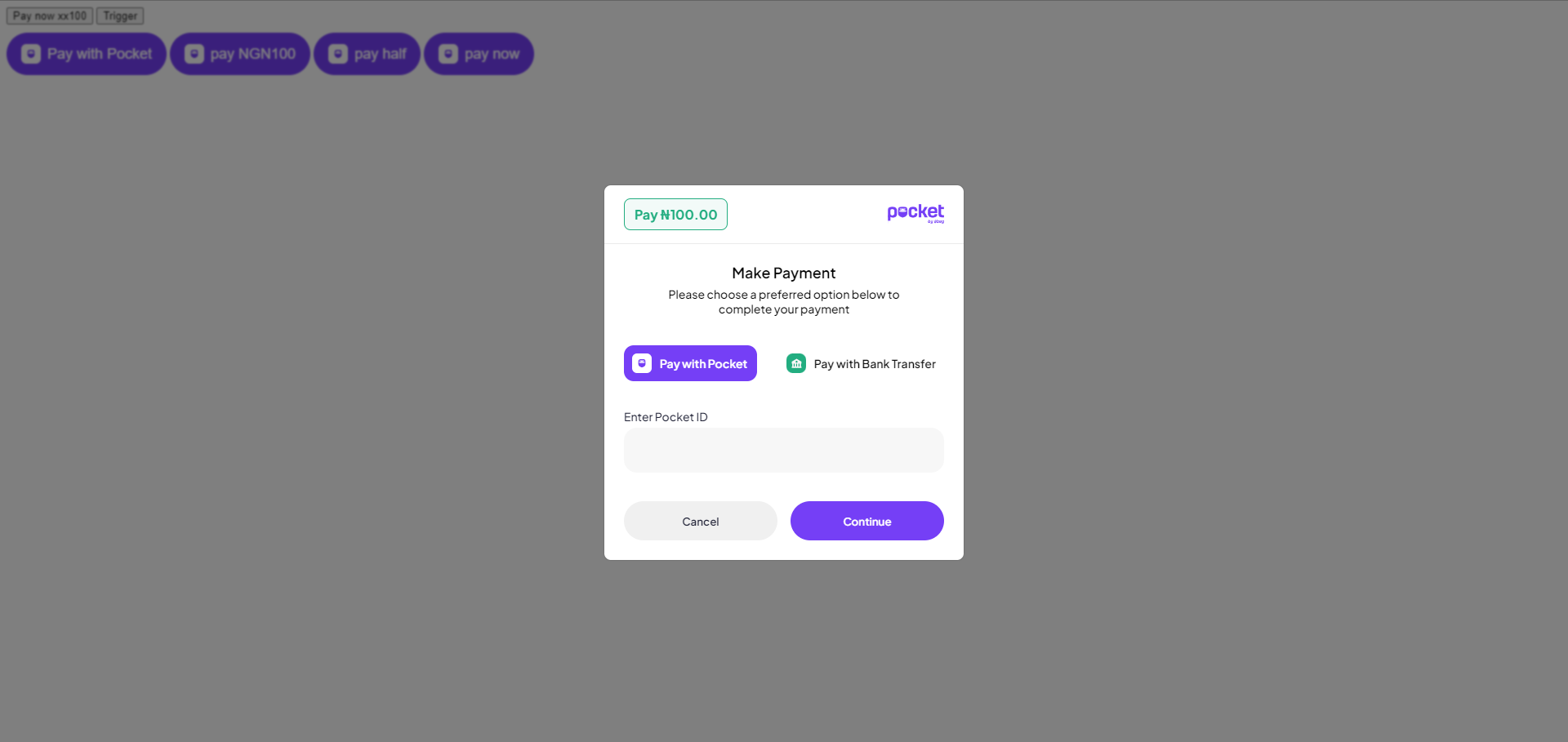
Select payment method (default is Pocket). Enter Pocket tag and click "Continue"
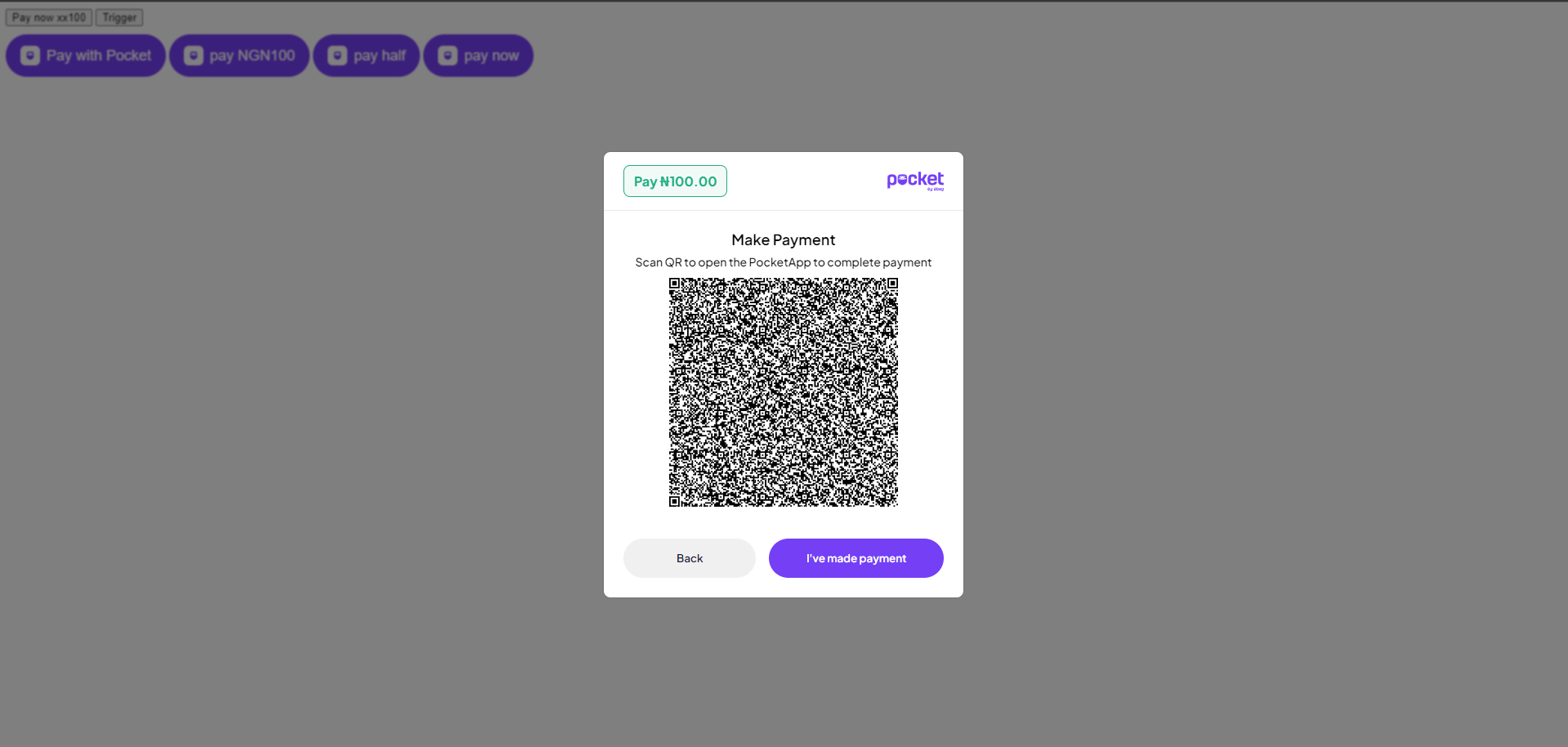
Approve the payment
Desktop: User gets a QR code which they scan with their phone camera. This automatically opens PocketApp and shows a payment prompt. When done, user clicks "I've made payment".
Mobile: User sees an "Open PocketApp" button. Clicking it opens the Pocket app installed on their phone, where they are prompted to approve the payment.
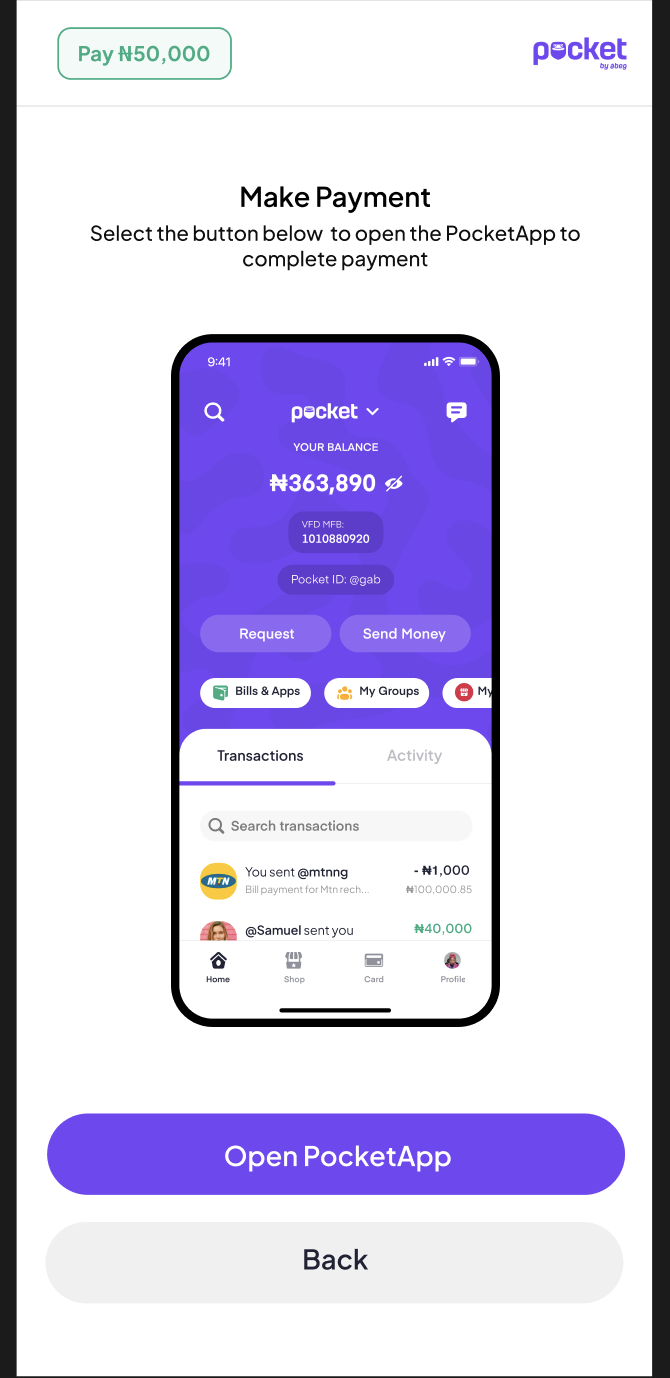
Mobile view — Open PocketApp
Confirm payment
Once the transfer has been confirmed, the user will see a confirmation modal.
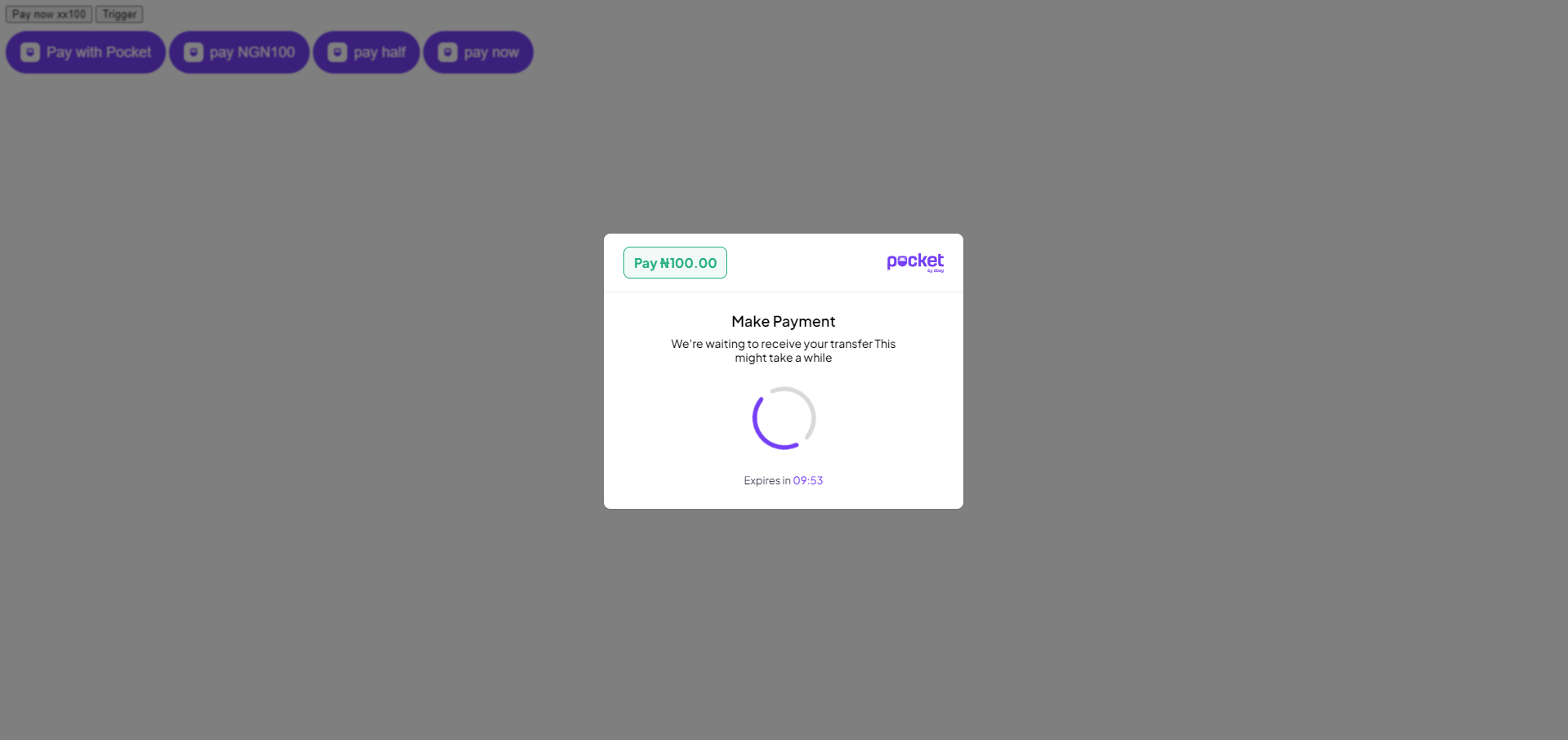
Confirm payment
Payment successful
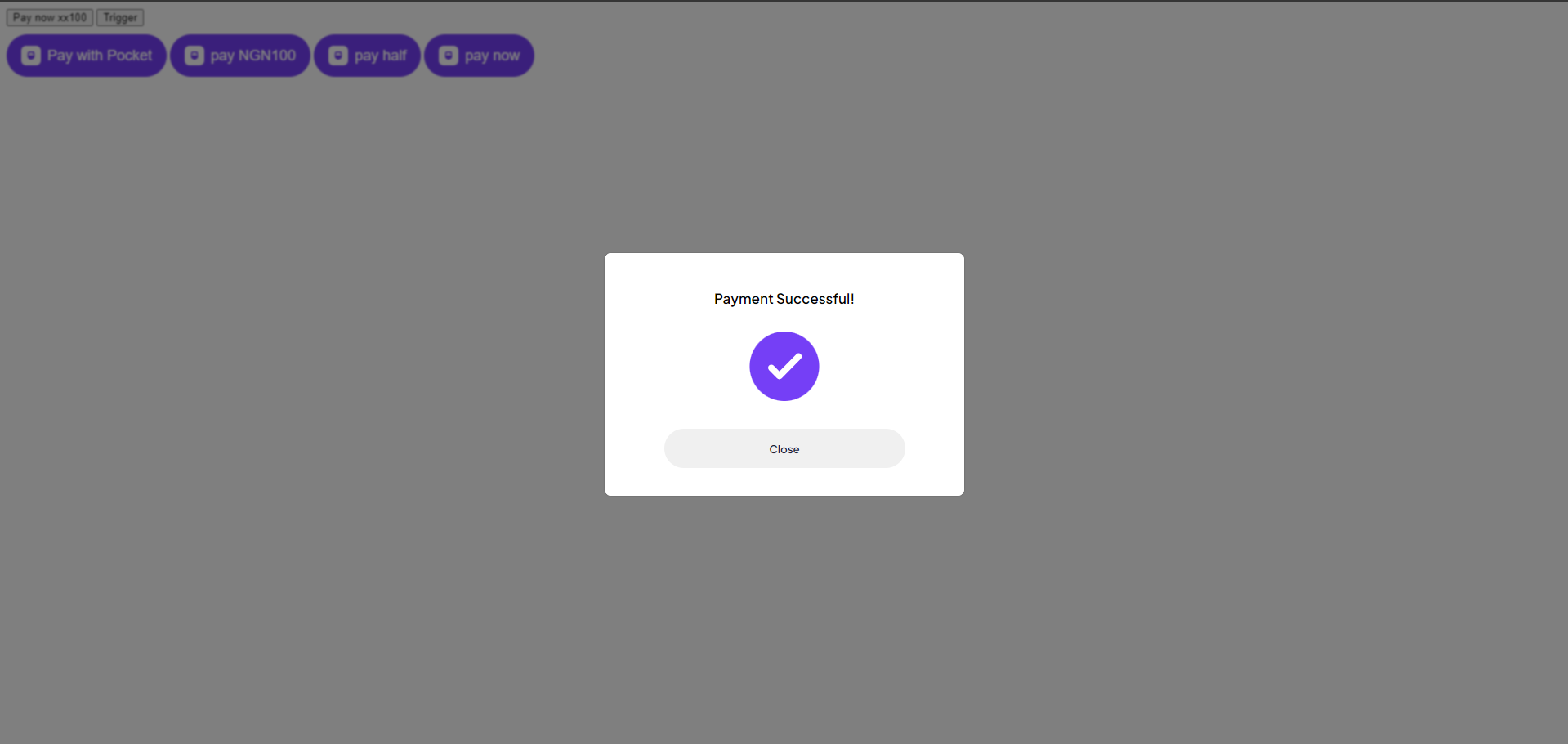
Payment successful
Pay with Bank Transfer
The checkout also supports bank transfer as a payment method. Watch the video below to see how it works:
Watch: Pay with Bank Transfer flow (Loom)Additional Information
Immediate invocation
Call .show() directly to immediately display the checkout UI wherever this code runs:
new Pocket({ key: 'MERCHANT_API_KEY', amount: 2500000}).show()Bind to a trigger element
Use .trigger() to bind the checkout to any HTML element selector, such as a button:
new Pocket({ key: 'MERCHANT_API_KEY', amount: 2500000}).trigger("#trigger-element")Custom HTML element
For a minimal, no-script implementation, use the <pay-with-pocket> custom element. It renders a button on the UI that triggers Pay with Pocket directly:
<pay-with-pocket view="redirect" key="key_71f8d2aa3cc3412982b2bf46158a5c45" amount="10000">Update payment status
If you receive a payment status update from your end (e.g., via webhooks), you can update the checkout UI to reflect the result:
const payWithPocket = new Pocket({ key: 'MERCHANT_API_KEY', amount: 2500000 // other options...}).show()// Update checkout response if you receive// a status update from your endpayWithPocket.updatePaymentStatus(status);// status is 'success' or 'failed'